
Doon Digital team
Save this article to read later and share with your network
Image Submission Sites: What They Actually Do for SEO
Image submission means uploading your pictures, such as photos, charts and infographics, to image sharing sites with a link back to your website. As link building it does very little, because on most of these sites the link is nofollow. What it can still do is put a good image in front of people who search visually, bring visitors from a platform with a real audience, and show your brand where your customers already browse.
This guide covers what still works, what has stopped, how to choose where to upload, how to prepare an image first and when to skip the whole thing. The site counts come from our own image submission sites list and infographic submission sites list, where every site was opened and checked before it went on the list.
What image submission does for SEO now
The link is the least of it
The FAQ on our image list puts it plainly: most image submission sites give nofollow links. Google's documentation says links marked nofollow, ugc or sponsored "will generally not be followed" (Google Search Central). So judge an upload by what it does for people, not by the link.
You can check any platform in a minute. Open someone's public upload, right-click the link to their website and choose Inspect. If the link carries rel="nofollow" or rel="ugc", you have your answer.
Where the value is
Three things make an upload worth the time:
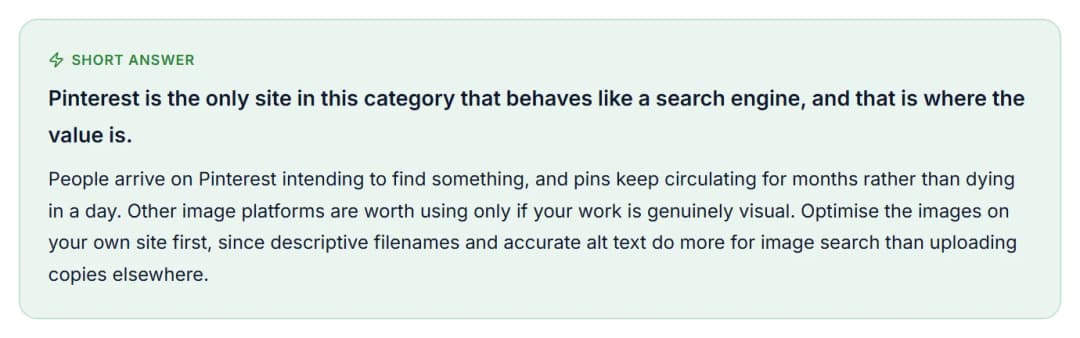
- Visual search. Pinterest describes itself as "a visual search and shopping platform" (Pinterest Newsroom), and our image list names it as the one site in the category that behaves like a search engine. People go there looking for something.
- Engagement that can last. Pinterest's business help centre says there is no set engagement window for Pins, and that a Pin can gain engagement months or even years after it is first published (Pinterest Business Help).
- Being seen by the right people. Where your buyers already look, such as Behance for design work or a photography community for photographers, an upload works as part of your portfolio. The link is a bonus.
Your own pages come first
Our image list's advice is to optimise the images on your own site before uploading anywhere else, and Google's guidance shows why. Google says it extracts information about an image "from the content of the page, including captions and image titles", and asks for images to be placed near relevant text (Google image SEO best practices). A copy on a sharing site has none of your page around it. Get your own pages right, then share copies of your best images.
What has stopped working
Infographic directories
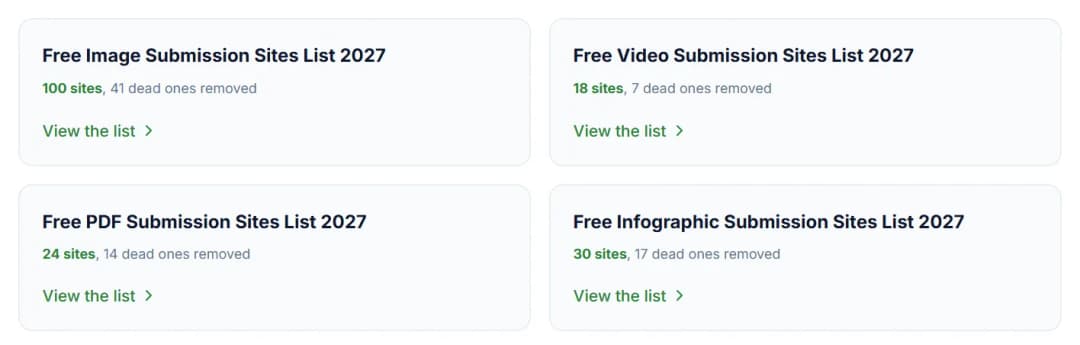
Infographic submission meant posting a graphic to sites that collect infographics, usually with an embed code that carries a link back. Our infographic list shows what is left of them.
When we built the list we opened 47 candidate URLs, and 17 of them, 36 percent, were dead or parked. Of the 30 that loaded, only Reddit, Flickr and Easel.ly have a global popularity rank and Moz figures in our table. The other 27, most with "infographic" in their name, are marked "Not ranked", and five of them failed the HTTPS check.
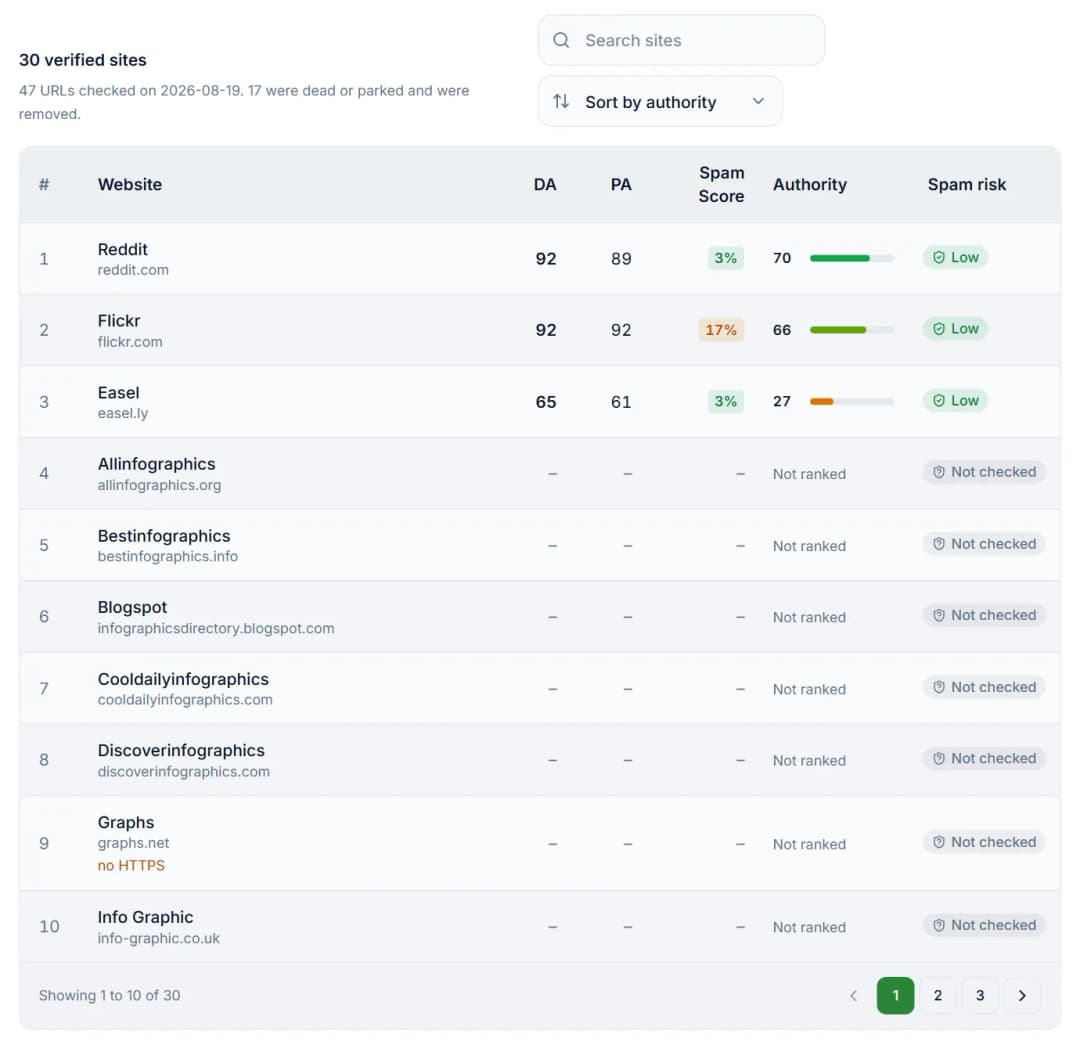
The short answer on that list sums up what replaced the tactic: original data earns links now, and submitting a graphic to directories does not.
Bulk uploading
Uploading one picture to dozens of hosts is easy to sell and easy to count. The note under the table on our image list says descriptive filenames, alt text, compression and correct dimensions on your own site do more for image search than uploading the same pictures to twenty external hosts. If someone offers you hundreds of image submissions in a week, ask how they are made. Google's spam policies list "using automated programs or services to create links to your site" as link spam (Google spam policies).
Keyword-stuffed embed links
The same page lists "keyword-rich, hidden, or low-quality links embedded in widgets that are distributed across various sites" as link spam. An infographic embed code works much like a widget: other sites paste it in, and it carries your link. Keep the link inside it plain, such as your business name or the title of your page.
What our two checked lists show
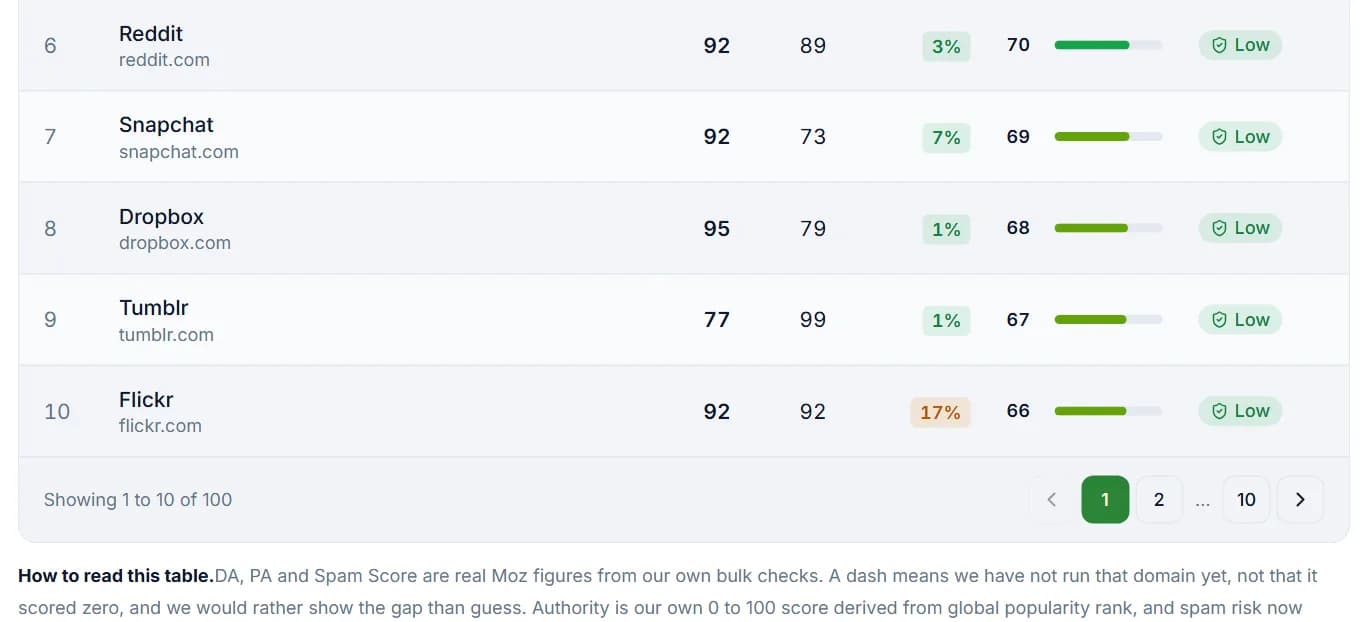
We built both lists the same way. Every candidate URL was opened in a live crawl on 19 August 2026, and a site stayed only if it loaded. Each row then shows real Moz Domain Authority, Page Authority and Spam Score where we have run them, an authority score from 0 to 100 based on the site's global popularity rank in the Tranco list, and a flag if the HTTPS check failed.
For the image list we opened 172 URLs and 131 loaded. The other 41, or 24 percent, were dead or parked and were removed. The table shows the top 100 of the 131, ranked by that authority score, and every one of them has Moz figures and a global popularity rank. On the infographic list, only three of the 30 have a rank.
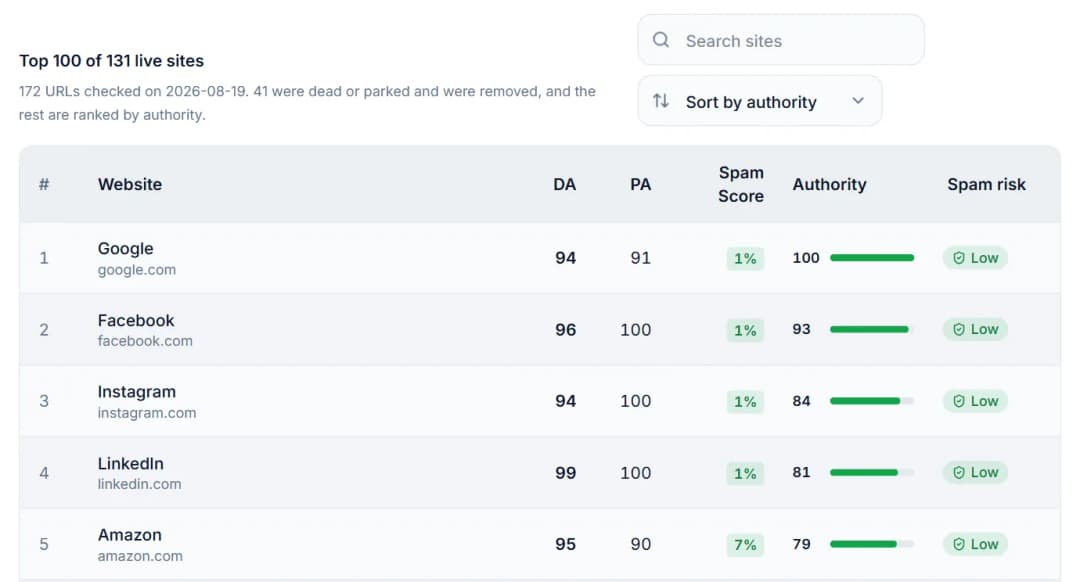
Two things to know before you use the image list. The order follows popularity, so the top rows are Google, Facebook, Instagram, LinkedIn and Amazon. A high rank tells you a site is big and busy, not that your customers look at pictures there. And Pinterest is not in this table: you will find it on our social bookmarking list.
How to choose where to upload
Work through these five steps before you sign up to any image submission website:
- Start where your buyers look. Our image list suggests Pinterest for reach and search intent, Instagram for brand presence, and Behance or Dribbble for design work. Photography communities suit photographers. If all you have is stock photos, no image site will do much for you.
- Open the site yourself. Our lists show that each site loaded on the day we checked. Sites change, so make sure uploads still work before you spend time there.
- Look at someone else's upload. Is the page public, with a title and a description? Search Google for its exact title in quotes. If uploads like it are not in Google, yours is unlikely to be.
- Find where the link goes. Some sites allow a link with each image, others only on your profile. Check its
relvalue as described above. - Pick a few and keep them going. Two or three sites you post to regularly will do more than thirty accounts you never open again.
How to prepare an image before you upload it
- A short, descriptive file name. Google's example is that my-new-black-kitten.jpg is better than IMG00023.JPG, though it calls file names only "very light clues" (Google image SEO best practices). Rename the file before you upload it.
- Alt text that says what is in the picture. Use plain words, not a list of keywords. Google warns that stuffing alt text with keywords "results in a negative user experience and may cause your site to be seen as spam".
- A title and description for a person searching. On Pinterest a title can run to 100 characters, but depending on the device only the first 40 may show in feeds, so put the words that matter first (Pinterest product specs).
- A link to the exact page the image belongs to, not to your homepage.
- The right shape and size. Pinterest recommends a 2:3 ratio, or 1000 x 1500 pixels. On your own site, our list suggests WebP or a compressed JPEG for photos, PNG where you need transparency, and files under about 200KB.
- A reason to save it. Original charts, before and after shots and your own local photos give people a reason to save or share. Stock photos that anyone can download do not.
- For an infographic, one clear chart built on data that is yours. Publish it on your own page with the numbers in a table underneath, offer an embed code with a plain credit link, and tell the people whose work you cited. These are the steps our infographic list recommends.
When to skip it
Leave image submission out, or put it last, if:
- you only have stock photos;
- you want it to lift your rankings through links;
- the images on your own site still have generic file names and no alt text;
- your infographic repeats facts that are already everywhere, since our infographic list notes that those no longer earn links;
- someone is selling it to you by the hundred.
Where to find our lists
Our image submission sites list and infographic submission sites list are free to use, with no signup, and they sit with the rest of our checked lists on the free SEO resources hub.
Links that move rankings have to be earned, through outreach and content worth citing. That is the work our off-page SEO service does. We have also written about what social bookmarking does for SEO and whether directory and article submission still pay. Not sure image submission is worth your time at all? Ask us before you start.
Frequently Asked Questions
Do image submission sites give dofollow backlinks?
Mostly not. Most give nofollow links, and Google says links marked nofollow will generally not be followed. Inspect the link on one of your own uploads to see which you have. The value lies in image search and in visits from sites with a real audience.
Are image submission sites free?
Many are, usually with limits on storage, resolution or monthly uploads on free accounts and paid plans above that. Not all of them: PBase and Zenfolio, both on our image list, charge after a free trial (PBase pricing, Zenfolio pricing). Check the pricing page before you upload a portfolio.
Do infographic submission sites still work?
Weakly. Of the 47 we checked, 17 were dead or parked, and only three of the 30 that loaded have a global popularity rank. What earns links from visuals now is original data on your own page, shared with the people you cited.
What are high DA PA image submission sites?
They are sites sold on a high Moz Domain Authority and Page Authority. Our image list shows real Moz DA, PA and Spam Score for all 100 sites, so you can sort by DA yourself. But DA describes the whole domain, not your upload page, and it says nothing about whether your buyers are there.
How many image submission sites should I use?
As few as you can keep active. Start with one or two where your buyers already look, such as Pinterest and a community for your trade, and add more only if they send visitors.
Need help with what you just read?
Doon Digital can implement these strategies for your Dehradun business. Pick what fits.
Free SEO Resource Lists
Submission site lists, every URL checked by hand.
Learn moreOff-Page SEO
Links and citations built for your business.
Learn moreSEO Services Dehradun
SEO for local and national searches, reported monthly.
Learn moreCase Studies
Projects we have built, with links to the live sites.
Learn moreRelated Articles
Explore more insights from Doon Digital
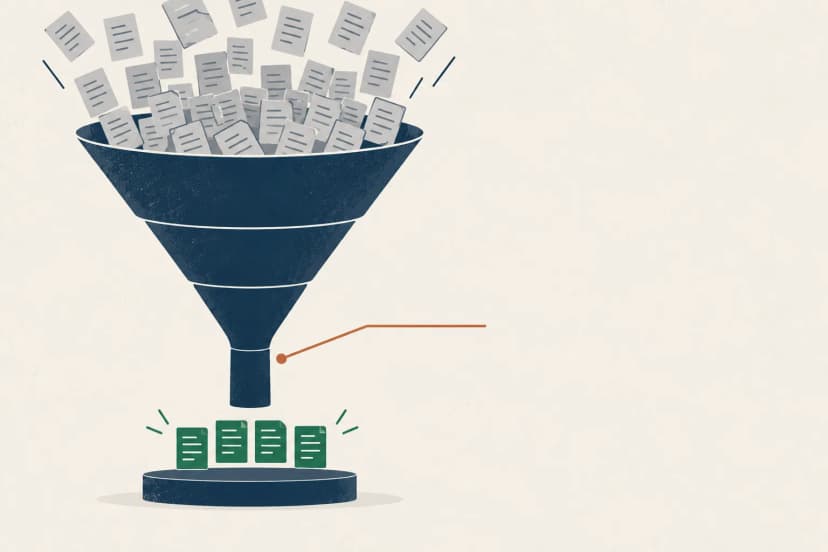
Guest Posting That Still Works: A Link Builder's Filter
Instant approval is a contradiction in terms. The nine-point filter we use instead, why guest posting moved our Authority Score, and how to pitch editors.

Directory and Article Submission in 2026: Dead, or Just Misused?
An honest verdict on directory and article submission, with what our own 24 directory submissions returned and the one narrow case where they still pay.
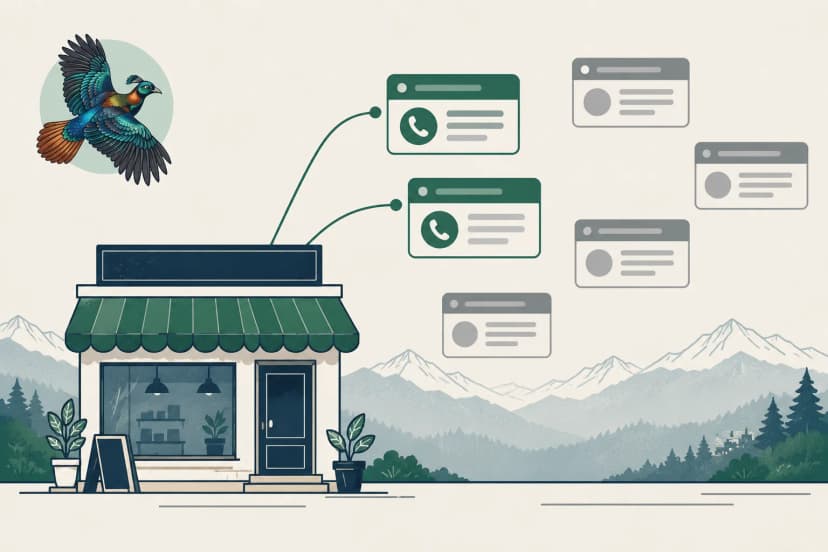
Free Classified Sites in India: Which Ones Still Bring Enquiries
A classified sites list for business owners who want the phone to ring, not SEOs collecting links, with what our own 14 submissions actually returned.
Doon Digital
Digital Marketing Expert at Doon Digital, helping Uttarakhand businesses grow online.