
Doon Digital team
Save this article to read later and share with your network
Local SEO in Dehradun: How to Rank Higher in Google Maps
Local SEO is the work that puts a business in Google Maps, and in the map box at the top of Google, when someone nearby searches for what it sells. In Dehradun those searches look like "dentist near Ballupur", "tuition near Yamuna Colony" or "cab from Dehradun to Mussoorie", usually typed on a phone by someone who wants to call or visit soon.
This guide goes step by step: the Google Business Profile first, then reviews, then your name, address and phone number across the web, then pages for each service and area, then the technical basics. After that come the things worth skipping, and a way to check whether an agency is really doing this work for you.
How Google decides who shows up in Maps
Google's own help page says local results are based mainly on three things: relevance, distance and prominence, which the page also calls popularity (Google Business Profile Help).
- Relevance is how well your profile matches what someone searched. A complete profile with the right category and services matches more searches.
- Distance is how far you are from the person searching. You cannot change it, so a clinic in Ballupur competes most easily for searches made around Ballupur.
- Prominence is how well-known your business is. Google's page names two signals: how many websites link to you, and how many reviews you have. It adds that more reviews and positive ratings can help your local ranking.
The same page says there is no way to request or pay for a better local ranking. Everything below is about relevance and prominence, the two you can influence.
Step 1: Fix your Google Business Profile first
Start with the profile, because it is what people see in Maps before they ever reach your website. Go through it field by field:
- Business name: your real-world name, as it appears on your signboard. Google's guidelines say the name should reflect your real-world name and must not carry unnecessary information, such as a locality (guidelines). "Sharma Dental Clinic" is right; "Sharma Dental Clinic Best Dentist Rajpur Road" is not.
- Primary category: the most specific one that fits. A dental clinic should choose Dental clinic rather than Doctor, because the category tells Google what kind of business you are.
- Services and products: list each one separately with a short description, and add prices where you can.
- Hours: keep them right, including holiday hours for Holi, Diwali and any other closures. A customer who finds you shut after Google said you were open may not try again.
- Attributes: fill in the ones that apply, such as payment options and accessibility.
- Address or service area: if customers come to you, show the address. If you go to them, like a plumber or a home tutor, Google's guidelines say a service-area business should hide its address and list the areas it serves instead.
- Photos: real photos of the shop front, the inside, your team and your work. Add new ones as things change.
- One profile: Google allows one profile per business. If an old or duplicate listing exists, claim it and get it removed rather than running two.
- Ownership: you should own the profile and add your agency as a manager. If the agency owns it, getting it back when you leave can be hard.
After the clean-up, keep the profile active with regular posts and photos. Our GMB marketing page sets out what we post and what we report each month.
Step 2: Make reviews a weekly habit
Reviews are the part of prominence you can work on every week.
- Ask every customer, the same day, with a direct link to your review form sent on WhatsApp or SMS. A link that opens the review box takes most of the effort out of it.
- Ask everyone, not only the happy ones. Google's review policy says businesses must not discourage negative reviews or selectively ask for positive ones (Maps content policy).
- Never buy or reward reviews. The same policy bans paid reviews and any incentive in exchange for a review, such as a discount. Fake engagement is removed.
- Reply to every review, good or bad. Google's advice is that replying shows customers you value their feedback. For a bad review, thank the person, keep it short and offer to sort it out by phone. We reply to reviews in Hindi and English.
- Watch the flow, not the total. A profile with plenty of old reviews and nothing recent looks quiet to a customer comparing three options, so we track how many new reviews arrive each month.
Step 3: Keep your name, address and phone number identical everywhere
Your business name, address and phone number, often shortened to NAP, appear in many places: your website footer and contact page, your Google profile, Justdial, Sulekha, IndiaMART, Facebook and industry directories. When they disagree, customers call old numbers and visit old addresses, and the listings no longer agree with each other.
- Pick one exact format and use it everywhere, down to the spelling of the locality and the way the phone number is written.
- Fix your own website first: the footer, the contact page and the LocalBusiness structured data.
- Then claim or correct the directory listings your customers actually use. Our directory list marks which directories we found still live and which are worth the time, and our post on free classified sites covers the ones that still bring enquiries.
- Do not show an address where you do not receive customers.
Step 4: Build one page for each service and area people search
Your Google profile carries one address and one main category. Your website can do more: it can have a page for each service and each area you cover, written the way people search. "Root canal on Rajpur Road" and "dentist near Ballupur" are different searches from different people, and each deserves a page that answers it.
A good service or area page has:
- the service and the area in the heading, in the words customers use;
- the neighbourhoods and landmarks around it;
- prices or a starting price, if you can share them;
- real photos and, where you have them, examples of work done nearby;
- answers to the questions people ask before they call;
- a phone button, a WhatsApp button and a map.
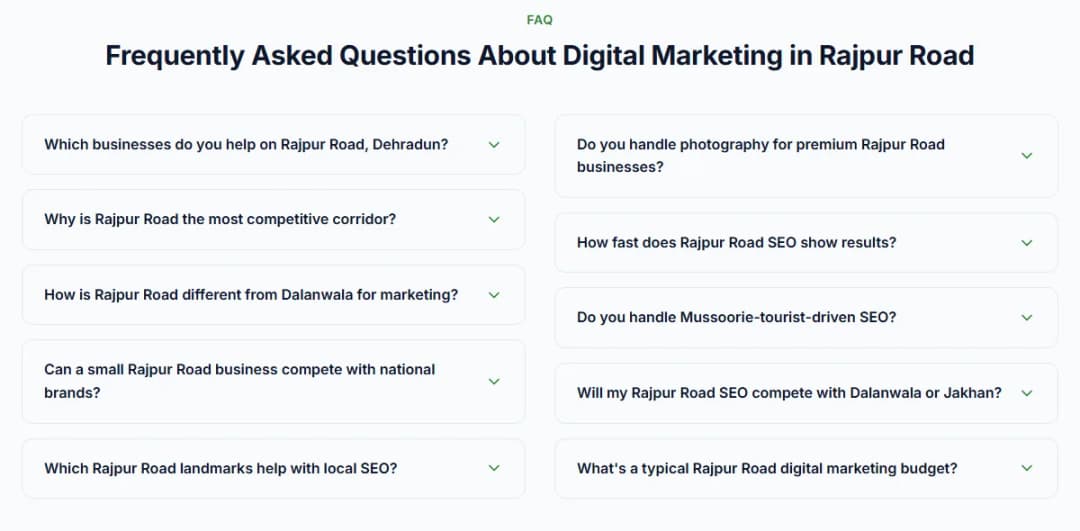
Our own Rajpur Road page follows this pattern.
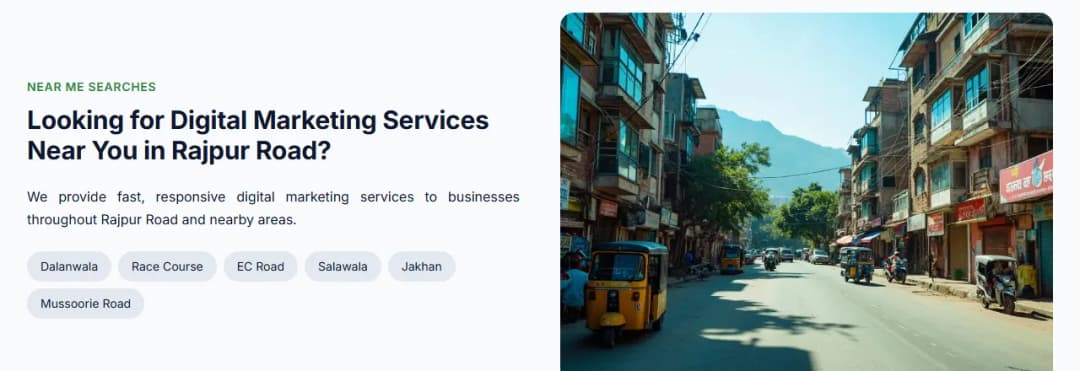
What does not work is copying one page and swapping the area name. Google's spam policies describe doorway abuse as pages created to rank for specific, similar searches that lead people to pages less useful than the final destination (spam policies). Each page needs something true and specific to its area, or it should not exist.
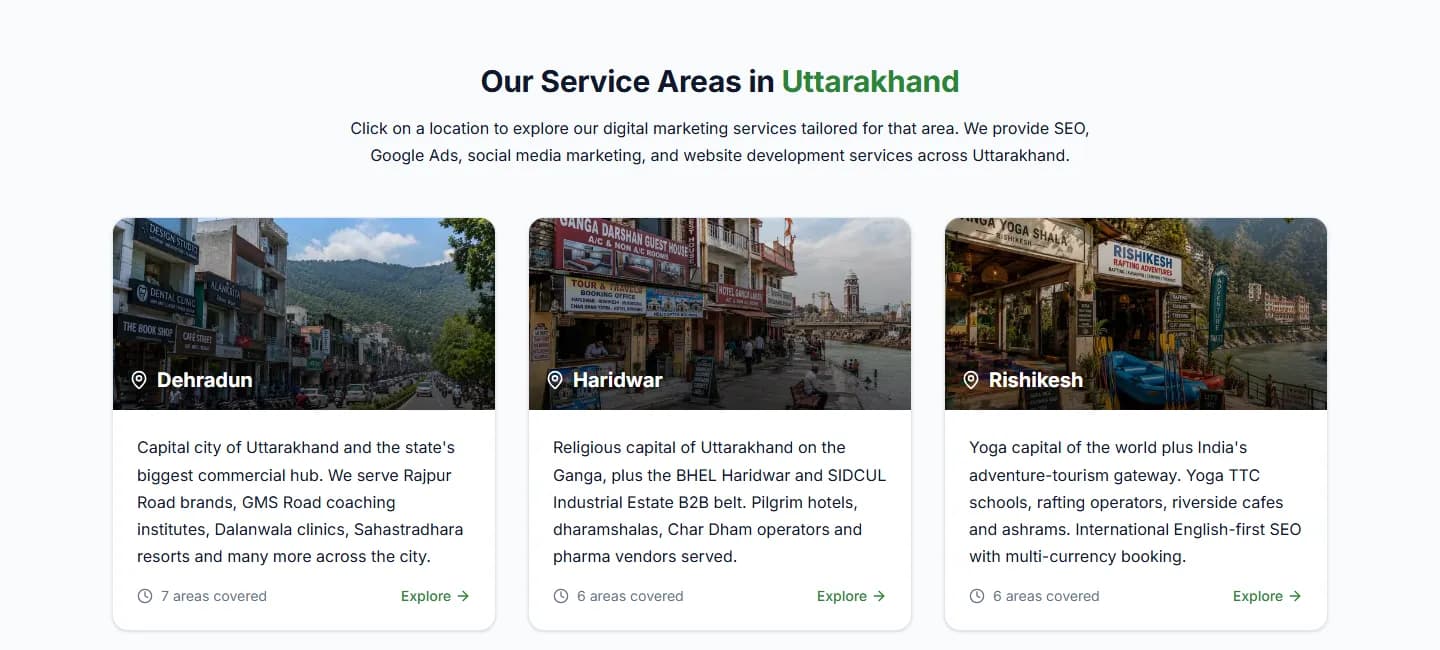
We do the same for our own business: our locations page links to a page for each Uttarakhand town we serve.
Step 5: Make it easy to call, message or find you
A ranking only matters if the customer can reach you in one tap. On every page, include:
- a phone number that dials when tapped;
- a WhatsApp button;
- your hours and a map;
- a short form for people who would rather write.
Then answer quickly. Someone who searched "near me" is often comparing a few options at once, and a slow reply can lose the job to whoever answers first.
Track what happens. Set up call, WhatsApp and form tracking in Google Analytics, and read the calls, direction requests and website clicks in your Business Profile's performance report each month.
Step 6: Get the technical basics right
You do not need to be a developer for these:
- Set up Google Search Console and check that your important pages are indexed.
- Open your site on your own phone. If calling you, messaging you or finding your address takes more than two taps, fix it.
- Test your speed with PageSpeed Insights and compress large images.
- Add LocalBusiness structured data. Google's documentation says it lets you tell Google about your business hours, departments and more (LocalBusiness documentation).
What to skip
Three things are often sold to small businesses as local SEO and rarely help on their own:
- Bulk content packages. Thirty generic posts a month will not fix a weak profile. One good page for a service people actually search is worth more.
- Bulk backlink packages. Hundreds of links from directories and blog networks nobody reads do not make you better known. A mention on a local news site, a college, a supplier or an event you sponsor does.
- Social media sold as SEO. Instagram can bring walk-ins for cafes, salons and gyms, but it is a different job from getting found on Google. Judge each on its own results.
How to check an agency's local SEO work
If you already pay someone for local SEO, you can check the work yourself in an afternoon:
- Ask for a list of everything done in the last six months, with links: pages built, listings created, links earned and profile changes. Read a few of the pages yourself.
- Open your Google Business Profile. Is the category right, are services listed, when was the last photo added, and are reviews answered?
- Open Search Console and compare the last three months with the three before: clicks, impressions and the searches you appear for. Check the Pages report for important pages that are not indexed.
- Test your own tracking. Submit your form, tap your WhatsApp button and call your number, then check that each one was recorded.
- Open a sample of the links they built. Do the sites exist, are they related to your business, and would a real person read them?
- Ask what they report each month. It should include calls, direction requests and enquiries, not only rankings.
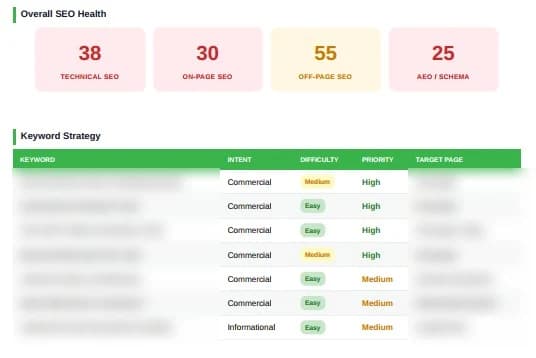
Before you hire anyone, our checklist on how to vet a Dehradun marketing agency covers the questions to ask.
A 90-day order of work
If you are starting from nothing, work in this order:
- Weeks 1 and 2: fix the profile, settle one NAP format, correct the website footer and contact page, and set up tracking.
- Weeks 3 to 6: start asking every customer for a review, update the main directory listings, and publish the first pages for your most important service and area.
- Weeks 7 to 12: open Search Console every week, find the searches where you sit around positions 8 to 15, and improve those pages first. Add pages for the next areas, and keep the reviews coming.
How long it takes depends on the search. For neighbourhood searches like "dentist near Ballupur", most of our clients reach the map results within 8 to 12 weeks. Most other local searches take 3 to 6 months, and broad ones like "best dentist Dehradun" take 6 to 12 months.
What local SEO will not fix
Local SEO brings people to your door. It cannot make them happy once they arrive. If the service is poor, the reviews will say so. If nobody answers the phone or WhatsApp during working hours, the enquiries go to a competitor. Fix those first, or the money spent on being found is wasted.
How we do local SEO
Every plan we sell includes Google Business Profile work. Our SEO plan starts at ₹50,000 a month and covers profile setup, on-page and technical SEO, link building and a monthly report, and you can cancel any time.
If you want to see where you stand first, our free audit looks at your website, your Google rankings and your competitors. You can also read what our GMB marketing and SEO services include, or talk to us.
Frequently Asked Questions
How long does local SEO take in Dehradun?
It depends on the search. For neighbourhood searches like "dentist near Ballupur", most of our clients reach the map results within 8 to 12 weeks. Most other local searches take 3 to 6 months, and broad ones like "best dentist Dehradun" take 6 to 12 months.
Can an agency guarantee a top-three position in Google Maps?
No. Google's Business Profile help says there is no way to request or pay for a better local ranking (Google Business Profile Help), and Google Search Central says no one can guarantee a number one ranking on Google (Google Search Central). Treat any guarantee as a warning sign.
Do I need a website to appear in Google Maps?
No. A Business Profile can appear in Maps on its own. A website helps because it can carry a page for each service and area, and it gives customers a place to check your prices and your work before they call.
Should I list my business on Justdial and other directories?
Yes, on the ones your customers use, with exactly the same name, address and phone number as your Google profile. A few accurate listings are worth more than hundreds of copies on sites nobody visits.
How much does local SEO cost?
Our SEO plan, which includes Google Business Profile work, starts at ₹50,000 a month. Our guide to what digital marketing costs in Dehradun compares it with other options.
Need help with what you just read?
Doon Digital can implement these strategies for your Dehradun business. Pick what fits.
GMB Marketing
Google Business Profile setup, posts and reviews.
Learn moreSEO Services Dehradun
SEO for local and national searches, reported monthly.
Learn moreCase Studies
Projects we have built, with links to the live sites.
Learn moreFree Marketing Audit
A written list of what to fix first.
Learn more
Doon Digital
Digital Marketing Expert at Doon Digital, helping Uttarakhand businesses grow online.